



Meta ads for small businesses in 2027: a simple setup that brings leads
A simple Meta ads setup for small businesses in 2027: the right objective, a local audience, creative that does the targeting, and a form that brings real leads.

Meta ads (Facebook and Instagram) are one of the cheapest ways to reach local people. They are also one of the easiest ways to waste money.
The difference is usually not the targeting. It is the offer, the creative, the form and the follow-up.
Here is a simple setup that works for most local service businesses.
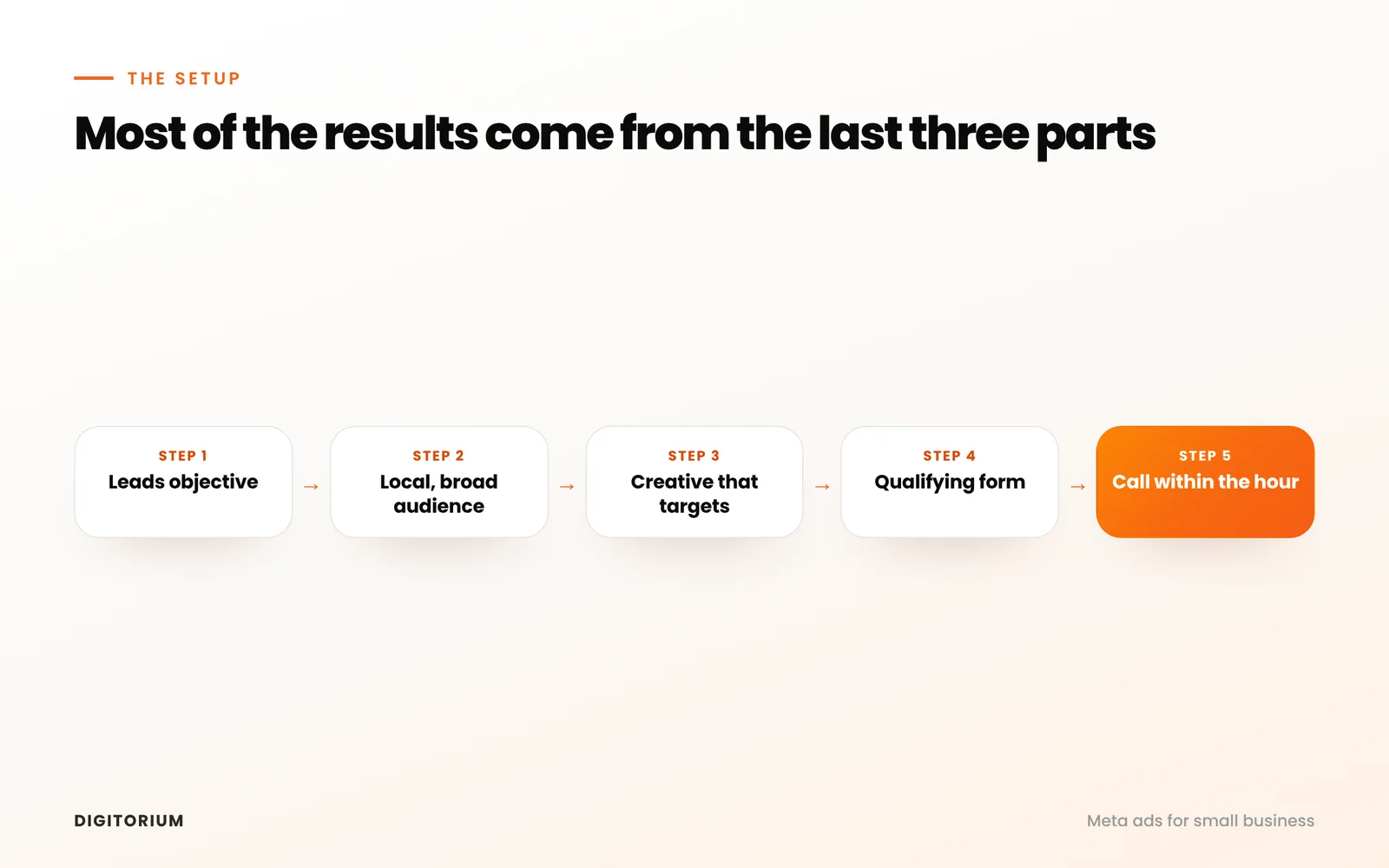
Key points
Use the Leads objective and an instant form, or send people to a fast landing page.
Keep targeting broad within your service area. Let the creative do the work.
Use Meta's "Higher intent" form and add one or two qualifying questions.
Reply within the hour and send lead quality back to Meta if you can.
Step 1: Pick the Leads objective
In Ads Manager, choose the Leads objective. You can collect leads two ways:
Instant forms: people fill in a form without leaving Facebook or Instagram. Fast and simple.
Your website: people go to a landing page. Slower, but you control the page and often get more serious leads.
For most small businesses, start with an instant form.
Step 2: Set a local, broad audience
Set your location to the area you actually serve. Then keep the rest broad: wide age range, no stacked interests.
Meta's delivery system finds people based on who responds to your ads. Narrow targeting often just makes your ads more expensive.
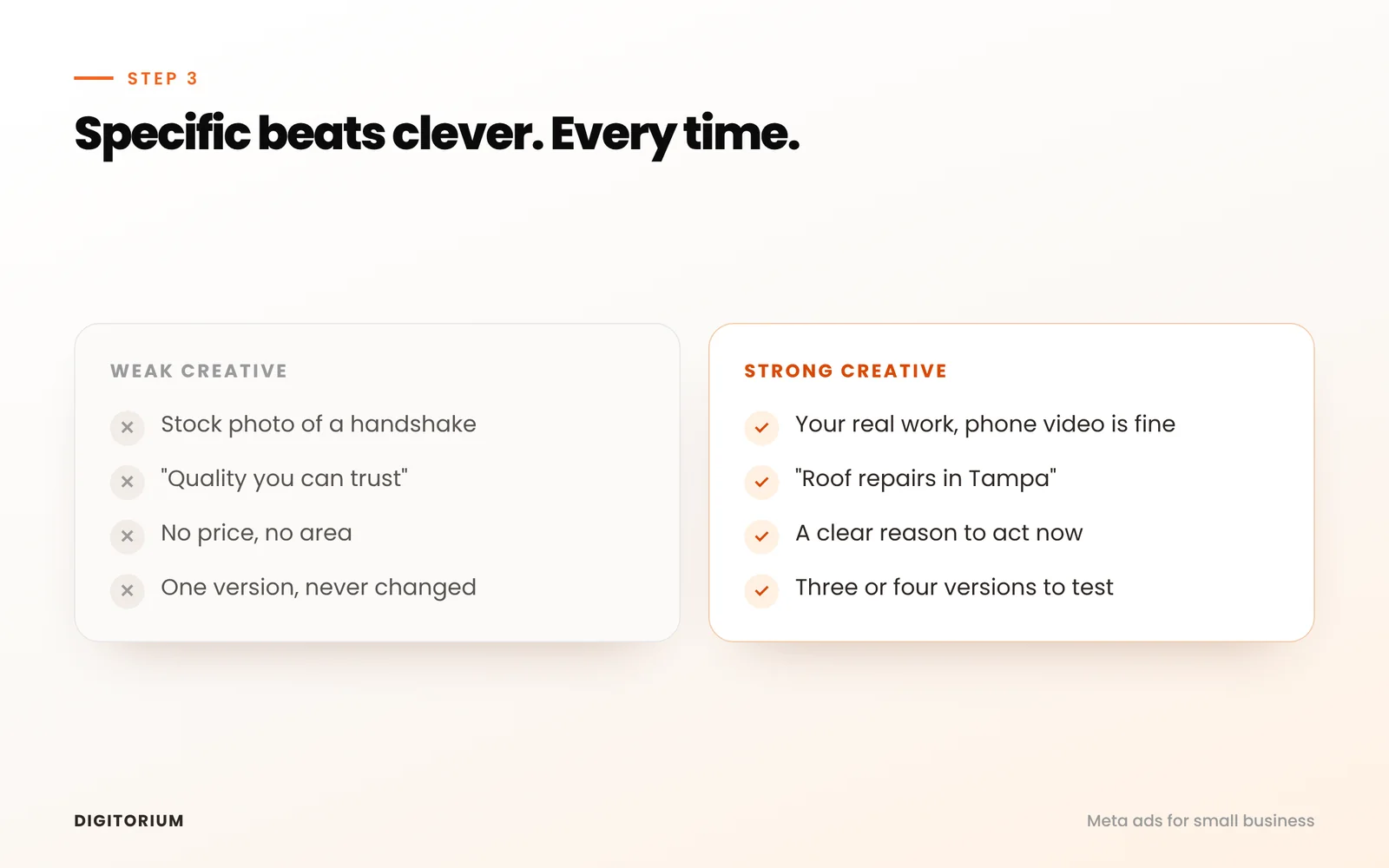
Step 3: Let the creative do the targeting

Your image or video tells Meta who the ad is for. A clear, specific ad attracts the right people.
Show your real work, your team or your location. Phone video is fine.
Name the service and the area in the first line: "Roof repairs in Tampa".
Give one reason to act now: a free estimate, open slots this month, a clear price.
Make three or four different versions and let Meta find the winner.
Step 4: Build a form that qualifies
Cheap leads are not good leads if nobody answers your call.
Meta offers a "Higher intent" form type. It adds a review step where people confirm their details before they submit. That small step cuts accidental sign-ups.
Then add one or two questions that matter to you:
"When do you need this done?"
"What is your budget range?"
"Which area are you in?"
Step 5: Follow up fast
Leads cool down fast. In the study published in Harvard Business Review, firms that contacted a lead within an hour were nearly 7 times as likely to qualify it.
Connect your form to your email or CRM so leads reach you instantly. Call first, then text if they do not pick up.
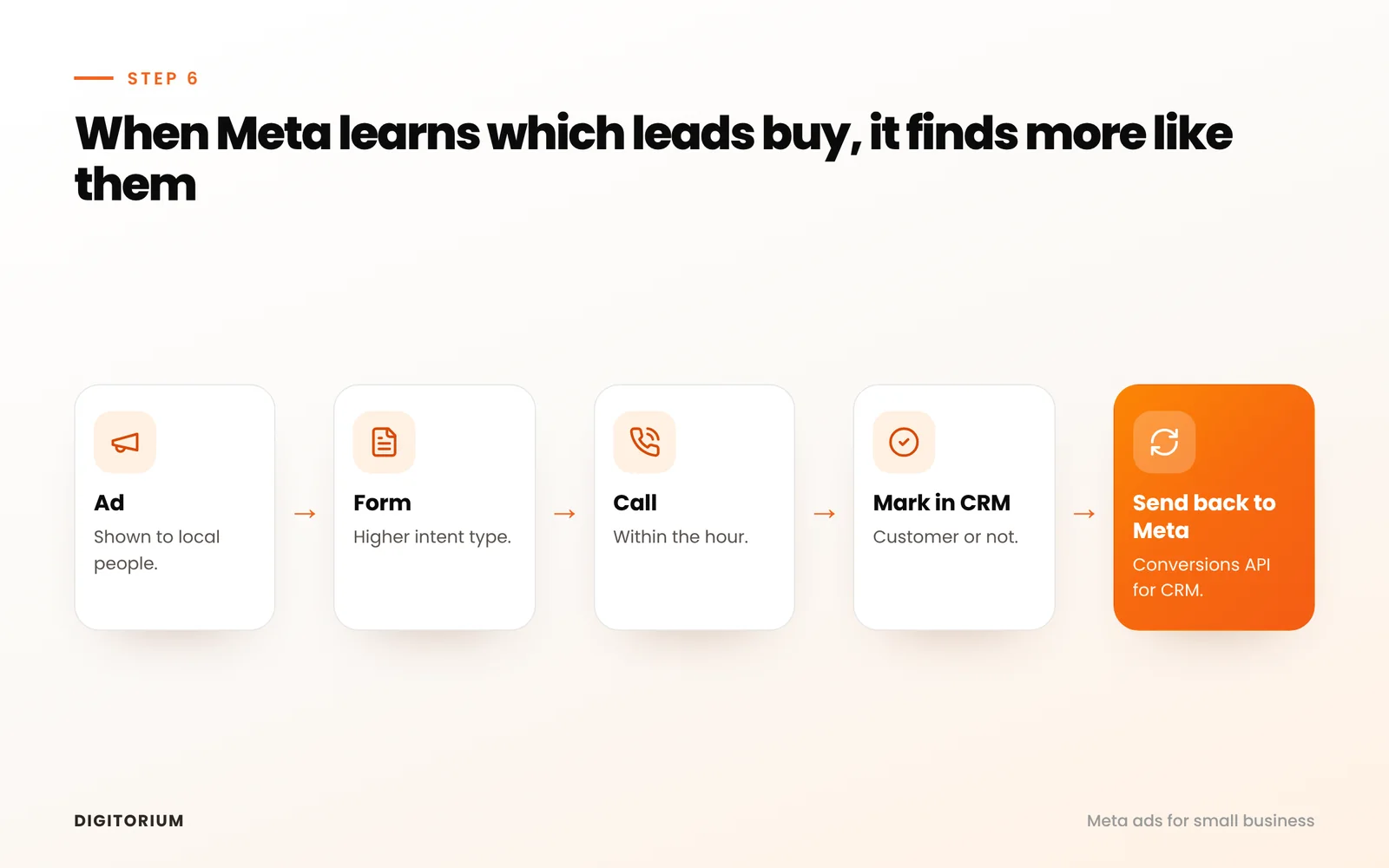
Step 6: Send lead quality back to Meta
If you use a CRM, Meta's Conversions API for CRM can tell Meta which leads became customers. Meta says advertisers using it with the conversion leads goal saw on average 19% lower cost per quality lead. That is Meta's own figure.
What to expect on cost
WordStream's 2025 benchmarks put the average cost per lead for Meta lead campaigns at $27.66 across industries. Your number depends on your market and your offer. Judge results on customers, not on lead count.
Quick answers
How much should I spend to start?
Pick a budget you can run for three to four weeks without changing things every day. Meta needs time to learn.
Facebook or Instagram?
Run both. Meta places ads where they perform best by default.
Why are my leads bad?
Usually the form is too easy and the follow-up is too slow. Use a Higher intent form, add a qualifying question, and call within the hour.
Cover photo: bruce mars on Unsplash.
Sources
Read next: How to get more customers from Google in 2027.
Want us to look at your ads?
Send us your ad account. We will tell you where the money is leaking, before you pay us anything.
Want this working for your business?
Send us your site or your ad account. We will tell you where the money is leaking, before you pay us anything.
Get in touch