


Ads in Google AI Overviews and AI Mode: what small businesses should do in 2027
Your Google ads can now show inside AI Overviews and AI Mode. What changed, which campaigns qualify, and five things a small business should do about it in 2027.

Google search looks different now. For many questions, an AI answer appears at the top. In AI Mode, people can have a whole conversation with Google.
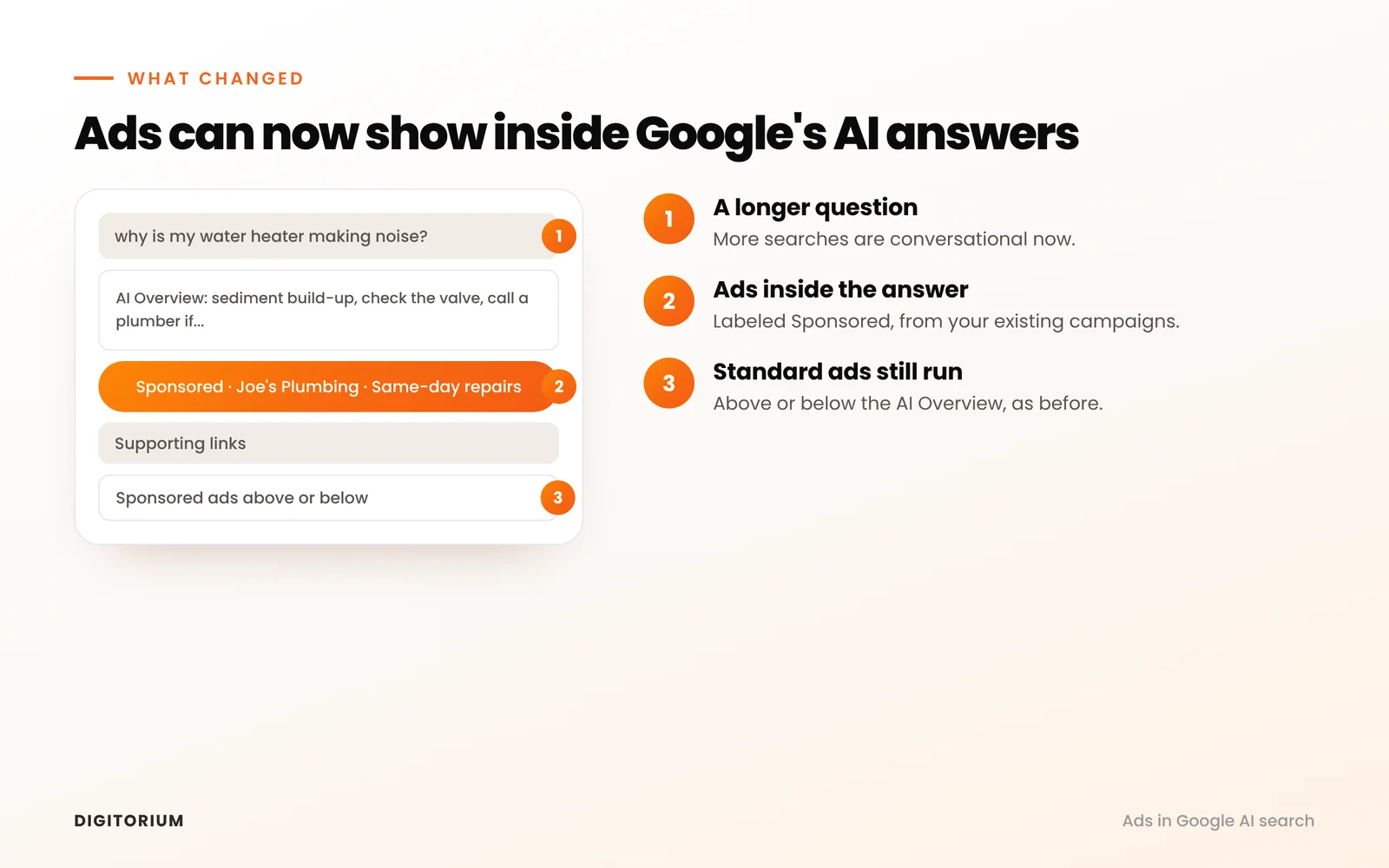
Ads can now show inside those answers. If you run Google Ads, some of your ads may already be appearing there.
Here is what changed, in plain words, and what to do about it.
Key points
Ads can appear inside AI Overviews and AI Mode, labeled "Sponsored". You do not need a new campaign.
Search, Shopping and Performance Max campaigns are eligible automatically.
Broad match and AI Max can match longer, exploratory questions. Exact and phrase match only show for direct buying searches.
You cannot opt out of these placements separately. Use negative keywords and good conversion tracking to stay in control.
What Google actually says
This comes straight from Google's Ads Help page:
Ads in AI Overviews and AI Mode are clearly labeled "Sponsored".
Advertisers do not need new campaigns or separate budgets. Existing Search, Shopping and Performance Max campaigns take part automatically.
Text ads and Shopping ads can appear. In-AI placements are available in English in the US and select markets.
You pay the same way as normal search ads, by click or conversion. There is no extra charge.
Buying ads does not change what the AI says in its organic answer.
How your ads get matched

Google matches ads in two ways.
Direct matching. Someone searches "emergency plumber near me". That is a clear buying search, so ads match the query, just like normal search.
Contextual matching. Someone asks "why is my water heater making noise and is it dangerous?" The question is not a purchase yet. But the AI answer mentions calling a plumber, so Google can show plumbing ads that fit the answer.
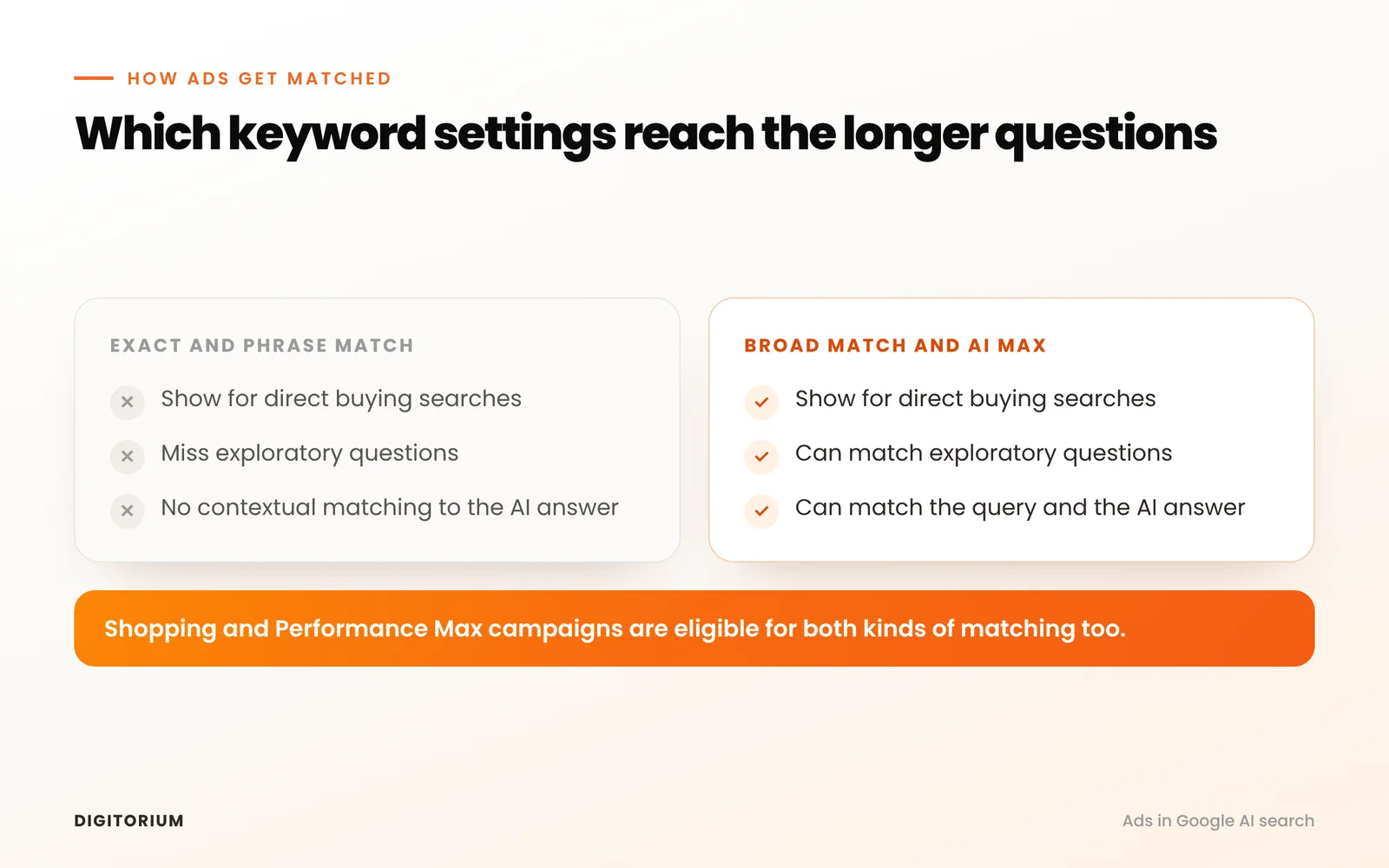
Google says AI Max, broad match, Shopping and Performance Max can use both kinds. Exact and phrase match keywords only show when the search itself shows direct buying intent.
Five things to do in 2027
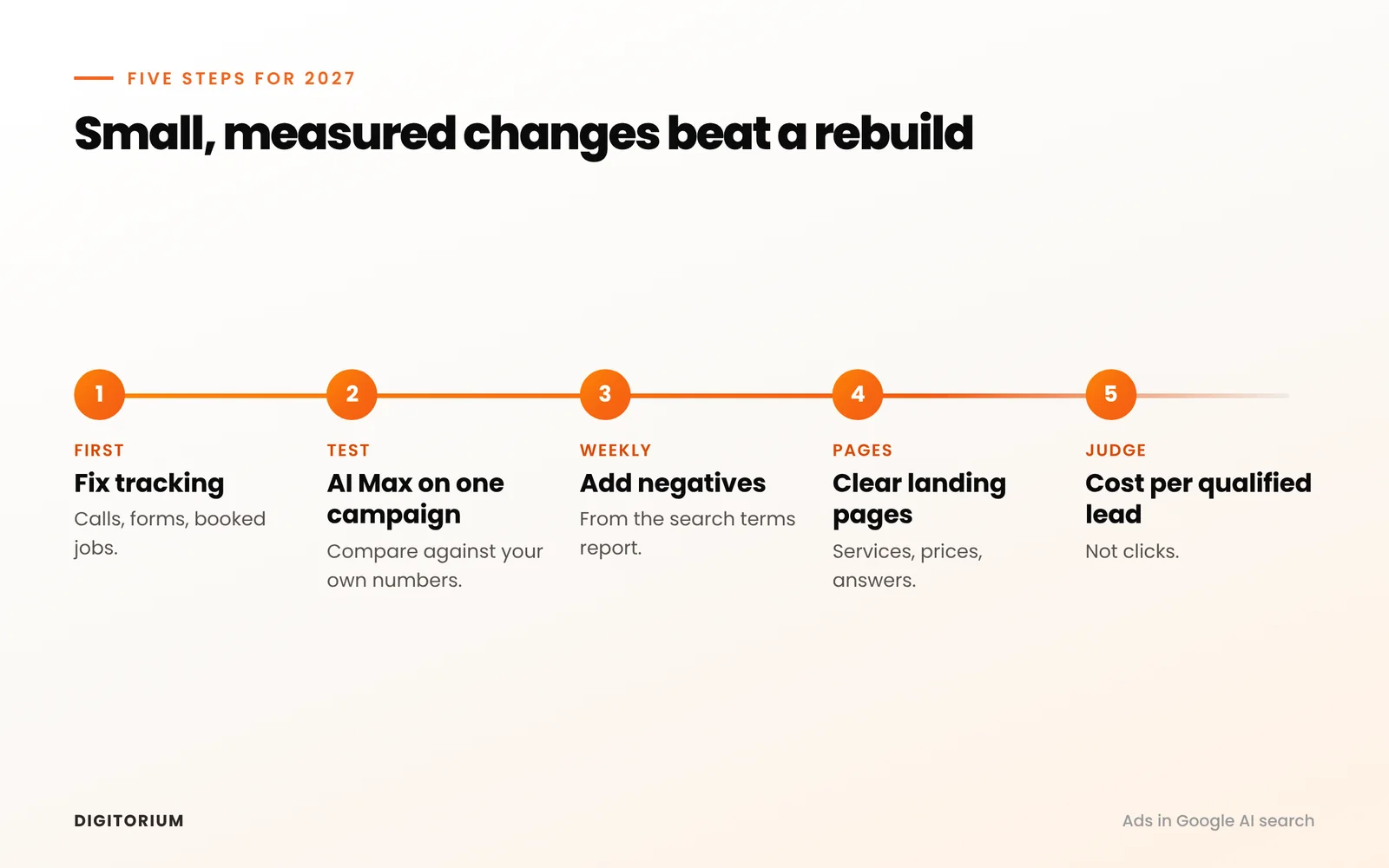
1. Fix your conversion tracking first
Broad match and AI Max decide who to show your ads to based on your conversion data. If tracking is broken, the system learns from noise.
Track the actions that matter: calls over a set length, form submissions, booked appointments. If you can, import which leads became customers.
2. Test broad match or AI Max on one campaign
Do not switch your whole account at once. Pick one campaign with steady conversions and test.
Google says advertisers who turn on AI Max typically see 14% more conversions or conversion value at a similar cost per result. That is Google's own figure, so test it against your own numbers.
3. Keep negative keywords tight
Contextual matching means more of your ads can show on questions. Some will not fit. Check your search terms report every week and add negatives for jobs you do not do.
4. Make your website answer real questions
AI Max can rewrite your headlines from your landing page and send people to the page it thinks fits best. Google also says it may show short "AI explainers" next to ads, using public information including your website.
So your pages need to be clear and current. One page per service, real prices or price ranges, and answers to the questions customers ask.
5. Judge it on leads, not clicks
Google reports these placements inside your normal campaign reports. They are not split out. So judge any change by cost per qualified lead and by jobs booked.
Quick answers
Can I choose to show only in AI Overviews?
No. Google says you cannot target only AI Overviews or AI Mode, or opt out of them separately from Search.
Do I need a bigger budget?
No new budget is required. Your existing campaigns compete for these placements through the normal auction.
Should a small business turn on AI Max?
Test it on one campaign with good conversion tracking. Keep it if your cost per qualified lead holds or improves.
Cover photo: Javier Sierra on Unsplash.
Sources
Read next: Best ways to get leads for a small business in 2027.
Want a second opinion on your Google Ads?
Send us your ad account. We will tell you where the money is leaking, before you pay us anything.
Want this working for your business?
Send us your site or your ad account. We will tell you where the money is leaking, before you pay us anything.
Get in touch